SIM and eSIM at Incheon Airport:T1, T2, Prices and Hours
Compare official Korea eSIMs, physical SIMs and pocket Wi-Fi at Incheon Airport, with current prices, T1 and T2 counters, hours and Korean-number rules.
Official sources checked 10 September 2026

Ask Narin.
Find answers in this guide
Narin is a fictional AI host.
Loading your saved chat…
NarinAsk me a question about this guide. Answers include links to the guides.
30-second answer
For one unlocked, compatible phone, an official eSIM bought online is usually the quickest choice. Do not install it until you know what starts the validity clock: SK Telecom counts from scanning the QR code, KT from completed installation and LG U+ from first data use.
Visit a public arrivals counter when you want help while activating service or need an airport-only Data + Voice product. Choose a physical SIM if the phone does not support the selected eSIM. Use pocket Wi-Fi when several devices will stay together and one traveler can carry, charge and return the router.
| Your situation | Start here | Important catch |
|---|---|---|
| One compatible phone, data first | Official carrier eSIM | Installation can start the clock; refunds are restrictive |
| Calls, outgoing SMS or counter help | Voice-capable physical SIM or explicit Data + Voice eSIM | Passport or entry verification and a voice top-up may be required |
| Two or more devices staying together | Pocket Wi-Fi | Deposit, charging and return are part of the trip |
| Arrival after midnight | T1 Hall F; T2 KT/LG near Exit 4 or SKT near Exit 7 | IIAC lists these counters 24H, but product stock is not guaranteed |
| International transfer, staying airside | Arrange eSIM before travel or use airport Wi-Fi | Airside SKT points do not list SIM or eSIM sales |
Choose the product by its data allowance, activation clock, phone-number functions and refund terms. A matching headline price does not mean matching service.
| Official LTE eSIM example | 5 days | 10 days | Calling |
|---|---|---|---|
| KT Data | ₩27,500 | ₩38,500 | Incoming service after airport Entry Check; no outgoing calls |
| KT Data & Voice | ₩33,000 | ₩44,000 | Airport purchase and Entry Check; includes about 60 domestic minutes |
| LG U+ Data | ₩27,500 | ₩38,500 | Incoming calls and texts; no outgoing calls |
These operator-published examples were checked on September 10, 2026. Compare the selected duration and product in the live checkout for SK Telecom, KT or LG U+. Promotions, Travel plans and 5G choices can change the total; your bank may also charge for currency conversion.
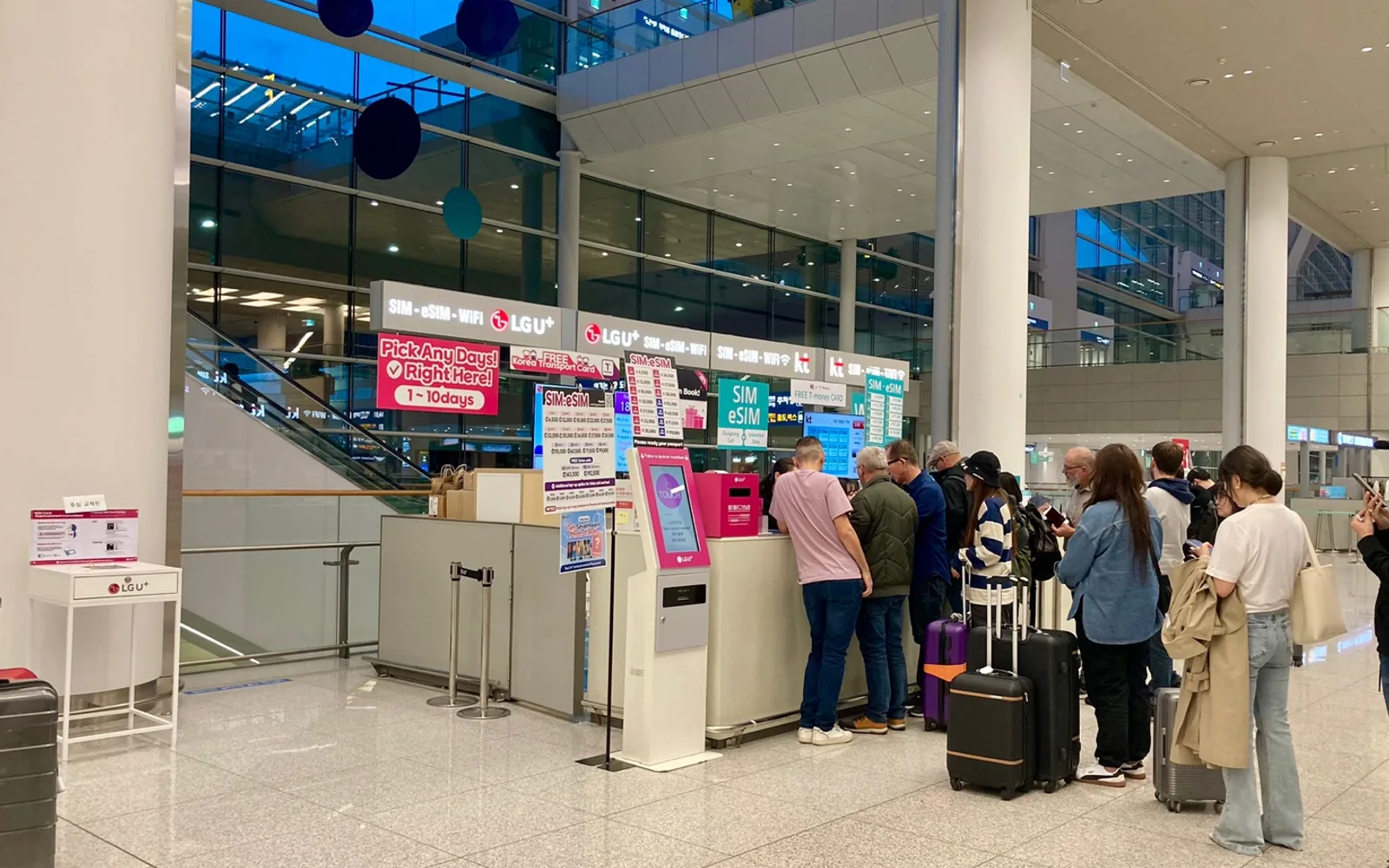
A carrier service area inside Incheon Airport Terminal 2, photographed in October 2024. Signs, prices and products in the photograph are historical; use the live directory and operator checkout for current details. Photo: Narubaru7, CC BY 4.0. Cropped and converted to WebP. People pictured do not endorse this guide.
Compare the current carrier terms
Read the operator's product page immediately before payment and save the selected terms with your order.
SK Telecom
SK Telecom's data eSIM page publishes unlimited LTE data at up to 100Mbps, subject to its network-management and prohibited-use terms. The selected number of days runs in 24-hour blocks from the moment the QR code is scanned into the phone, so installing it several days before the flight wastes paid time.
Check the installation deadline on the final voucher before buying, especially for a trip several months away. Contact SK Telecom if the voucher and product page give different dates.
The data product cannot be topped up for outgoing calls or texts. SK Telecom says incoming calls and texts require passport verification, except that the 1-day data plan does not include free incoming calls or texts and does not use that verification. The explicit Data, Call, SMS eSIM supports free incoming service after verification and outgoing service after a paid top-up. Check the current voice-credit amounts and per-call or per-message rates before topping up. Follow the voucher's passport-verification process after arrival, or use an airport roaming center.
KT
KT's visitor eSIM page publishes 11GB per calendar day, then unlimited data at up to 5Mbps. The 11GB allowance resets at midnight. KT counts the purchased service in 24-hour blocks from completed installation, so the usage clock and the high-speed-data reset are not the same thing.
All KT visitor eSIM numbers begin with 010. Data works before identity verification, but incoming calls and texts require an Entry Check after immigration. A data eSIM cannot make outgoing calls or send texts. The Data & Voice version is sold at an airport KT roaming center and currently includes about 60 minutes of domestic calls; further calling requires a top-up. KT says completed eSIM purchases cannot be canceled or refunded, and a deleted profile cannot be reissued.
KT's page gives conflicting installation deadlines. Buy close to the trip, follow the deadline on your order and ask KT support if the order and product page differ.
LG U+
LG U+ describes its data eSIM as unlimited LTE or 5G without a routine speed cap, while reserving the right to manage speeds during excessive network congestion. Its validity begins on first data use, not when the QR code is installed. Activation is due within 60 days of purchase.
The data product shows a 010 number after arrival and supports incoming calls and texts, but not outgoing calls or texts. LG U+ separately says app SMS verification is unavailable on data-only service. Its Data + Voice product is airport-only and requires a passport; outgoing credit is sold separately. Domestic outgoing calls cost ₩4.4 per second, SMS ₩55 and MMS ₩1,100.
LG U+ says the data eSIM is nonrefundable after payment and cannot be reissued once installed. If the profile is deleted or the phone is damaged, the company says it will not refund or replace the eSIM. The product page excludes Google Pixel, Motorola and OPPO. Check your exact model against the supported-device list even if *#06# displays an EID.
For more providers and national coverage questions, continue to our best eSIMs for South Korea guide. This page stays focused on buying and activating service at ICN.
Check the phone before paying
An eSIM menu is only the first check. Complete this list on reliable Wi-Fi:
- Ask the home carrier to confirm that the phone is network-unlocked.
- Check the exact model number and country variant against the Korean operator's page.
- Dial
*#06#and look for an EID if buying eSIM. An EID identifies the eSIM module; the KAIT IMEI guide explains that the 15-digit IMEI identifies the device. Seeing either number does not prove carrier compatibility. - Confirm that the phone can keep the home line and travel line active if you need home-number SMS.
- Save account recovery codes before changing SIMs.
- Learn where the phone selects the mobile-data line and disables automatic data switching.
Do not delete a travel eSIM as a troubleshooting step. SK Telecom, KT and LG U+ all publish restrictions on restoring or reissuing a deleted profile.
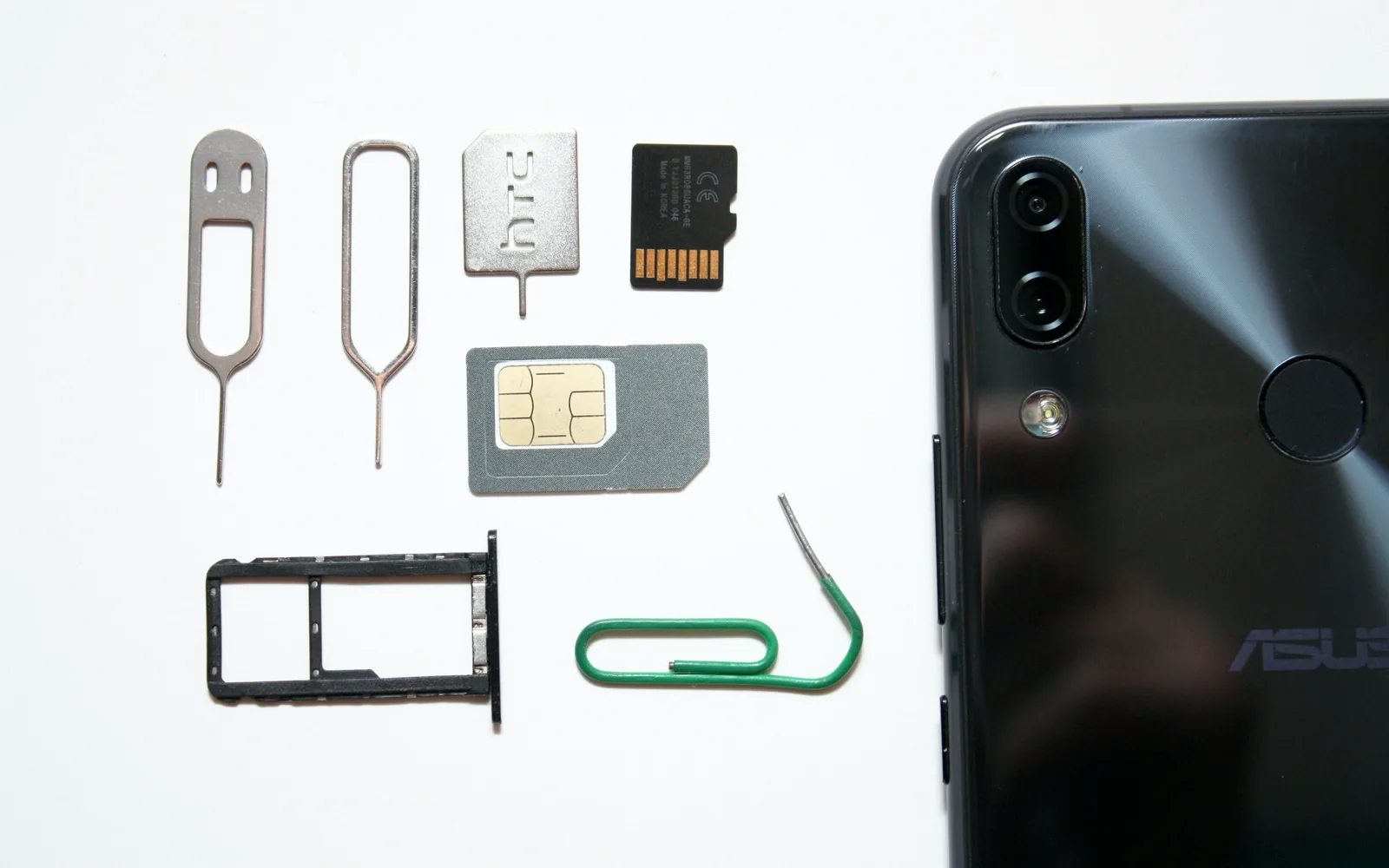
Illustrative phone, physical SIM, tray and removal tools. This image was not photographed at Incheon Airport and does not show a Korean carrier product. Photo: Andrey Matveev, Unsplash License. Cropped and optimized.
Do you need a Korean phone number?
A 010 number, ordinary incoming SMS and Korean resident identity verification are three different things. A tourist line can receive a restaurant wait-list code yet still fail banking, government or age-verified services.
| Function | What to confirm |
|---|---|
010 number | Whether the selected product assigns one and when it appears |
| Incoming calls and SMS | Whether passport or entry verification is required |
| Outgoing calls and SMS | Whether the product supports them and needs a top-up |
| Restaurant or taxi app code | Whether that app accepts prepaid tourist numbers |
| Resident identity verification | Tourist SIMs do not create a Korean resident identity |
SK Telecom's explicit Data, Call, SMS plan provides free incoming calls and texts after passport verification; outgoing use draws from a top-up. KT assigns 010 numbers to its visitor eSIMs, but incoming service starts only after Entry Check and outgoing service needs the voice product. LG U+ says its data product receives calls and texts but cannot complete app SMS verification; its airport-only Data + Voice product adds outgoing functions.
The passport check has a regulatory basis: Korea's current telecommunications enforcement decree, Article 37-7 requires operators to verify the contracting party and recognizes a passport as an accepted document for a foreign national. That check identifies the customer to the carrier; it does not turn a tourist number into Korean resident authentication.
If a local number is central to the trip, read our detailed Korea eSIM and phone-number guide before choosing. Do not buy a line solely because the product tile contains 010.
Terminal 1 SIM and eSIM counters
The current IIAC facilities directory lists SK Telecom, KT and LG U+ together on both sides of the public arrivals floor. A passenger arriving internationally reaches these desks after immigration, baggage claim and customs.
| T1 location | Carriers and hours | Access |
|---|---|---|
| 1F east, near Arrival Hall A | SKT, KT and LG U+, 06:00–22:00 | Landside/public 1F; arrivals reach it after customs |
| 1F west, near Arrival Hall F | SKT, KT and LG U+, 24H | Landside/public 1F; arrivals reach it after customs |
| 1F west, near Arrival Hall F | Wifi Dosirak, 06:00–22:00 | Public; router, prepaid SIM and eSIM listed |
| 3F near Gate 27 | SKT roaming and Wi-Fi router, 07:00–21:00 | Airside; SIM and eSIM sales are not listed |
Live IIAC records:
IIAC also lists carrier desks on the public 3F departure level, but those counters serve a mix of outbound roaming and other functions. Do not assume that every departure desk holds the same visitor SIM inventory as arrivals.
The Hall F cluster is the airport's published overnight option. A 24H label describes the counter, not a guarantee that every SIM, eSIM voice activation or router model is in stock.
Passenger concourse inside Incheon Airport Terminal 1, photographed in July 2023. This is terminal context and does not show an arrivals carrier counter. Photo: AirportTerminalGuy, CC BY 4.0. Cropped and converted to WebP. People pictured do not endorse this guide.
Terminal 2 SIM and eSIM counters
IIAC's Terminal 2 tab currently publishes three 24-hour arrivals counters and two daytime alternatives.
| T2 location | Carrier and hours | Access |
|---|---|---|
| 1F near Exit 4 | KT and LG U+, 24H | Landside/public 1F; arrivals reach it after customs |
| 1F near Exit 7 | SKT, 24H; LG U+, 06:00–22:00 | Landside/public 1F; arrivals reach it after customs |
| 1F near Exit 3 | Wifi Dosirak, 06:00–22:00 | Public; router, prepaid SIM and eSIM listed |
| 3F near Gate 251 | SKT roaming and Wi-Fi router, 07:00–21:00 | Airside; SIM and eSIM sales are not listed |
Live IIAC records:
LG U+'s current page describes its T2 desks with Gate 3 and Gate 8 landmarks, while the current IIAC directory uses Exit 4 and Exit 7. Follow the live airport signs or ask an information desk; the two official pages use different nearby reference points.
KT, LG U+ and SK Telecom also have public 3F counters between check-in zones F and G, each listed 06:00–22:00. IIAC describes all three as roaming and Wi-Fi router desks, not prepaid SIM or eSIM counters.
For a floor-by-floor orientation, open our Incheon Airport terminal map before landing.
Transfer passengers: check the access zone first
The main T1 and T2 arrivals counters are landside. Reaching them during an international connection normally means entering Korea, collecting any baggage that is not checked through and completing departure procedures again. Check the passport and itinerary in our Korea Visa Navigator; it sends travelers onward to the appropriate official authorities.
IIAC lists an SK Telecom point in each airside terminal, near T1 Gate 27 and T2 Gate 251, but describes the service only as Roaming, WiFi Router. It does not list SIM or eSIM sales there, and a transfer route may not pass the point. Call SK Telecom at +82-2-6343-9000 or ask the transfer desk before walking across the terminal.
There is no carrier counter in the current Concourse directory. A transfer passenger staying there should arrange an eSIM before travel or use airport Wi-Fi until reaching a supported location.
Buying and installing an eSIM before arrival
Before installing, reopen the selected operator's clock rules above. Follow its wording, not generic advice from an eSIM reseller.
Save these items offline before boarding:
- the QR code and manual activation details;
- order number and selected service period;
- the refund and profile-deletion rule;
- passport or Entry Check instructions;
- operator support number;
- a screenshot of the final checkout terms.
When the phone asks for line labels, use names such as Home and Korea. Keep the home line available for incoming verification texts only if you understand its roaming charges. Turn off cellular-data switching so the phone cannot silently move data back to the home plan.
Illustrative traveler holding a phone beside luggage. The blank screen does not show an eSIM setup flow, and the image was not photographed at ICN. Photo: Towfiqu barbhuiya, Pexels License. Cropped and optimized. The person pictured does not endorse this guide.
Buying a physical SIM at the airport
A physical SIM remains useful when the handset has no supported eSIM, the exact overseas model is uncertain or you want the network tested before walking away. LG U+ publishes airport-pickup SIM prices that match its LTE eSIM prices at the common trip lengths. SK Telecom and KT also sell visitor SIM products through their official reservation and airport-center flows.
Bring the passport used for the purchase or reservation. Voice functions may require the employee to complete a separate identity or entry check. Put the home SIM in a rigid labeled holder, not loose in a passport cover.
Before leaving the desk:
- Turn off airport Wi-Fi.
- Confirm that the phone shows SKT, KT or LG U+.
- Load a map and an ordinary web page over cellular data.
- Receive a call and SMS if those functions were purchased.
- Make an outgoing call or send an SMS if you paid for top-up credit.
- Test hotspot tethering if it matters to the trip.
- Save the receipt, contract number and support contact.
Staff access to the phone should stop at network setup. Enter device passwords, Apple or Google credentials and payment details yourself.
Pocket Wi-Fi for a group
Pocket Wi-Fi can serve several phones and a laptop without changing their SIMs. It works best for a group that stays together. The person carrying the router becomes the group's internet connection, charger and return plan.
| Official product | Published price and data | Rental conditions |
|---|---|---|
| SKT T Wi-Fi Router | Confirm the live rental quote; unlimited LTE, max 20Mbps; up to 3 users | Passport plus an accepted same-name credit card; confirm the return counter and loss fee |
| LG U+ Pocket Wi-Fi | ₩4,400/day; 4GB daily, then max 5Mbps; up to 10 devices; power bank included | Passport; credit or debit card; ₩70,000 deposit when using debit |
Confirm SK Telecom's complete rental quote, any deposit and the loss fee before paying. The operator excludes debit cards and several other card types listed on its product page; use an accepted credit card in the renter's name.
LG U+ allows return at another listed customer center at Incheon, Gimpo or Gimhae airport and says a debit-card deposit is automatically refunded after a successful return. Confirm the exact return counter and deadline on the contract.
KT also offers a WiFi Router reservation flow, but its current public English pages do not expose a clear comparable price and data table. Ask KT for the full written cost, allowance, deposit and loss fee before selecting it over the two products above.
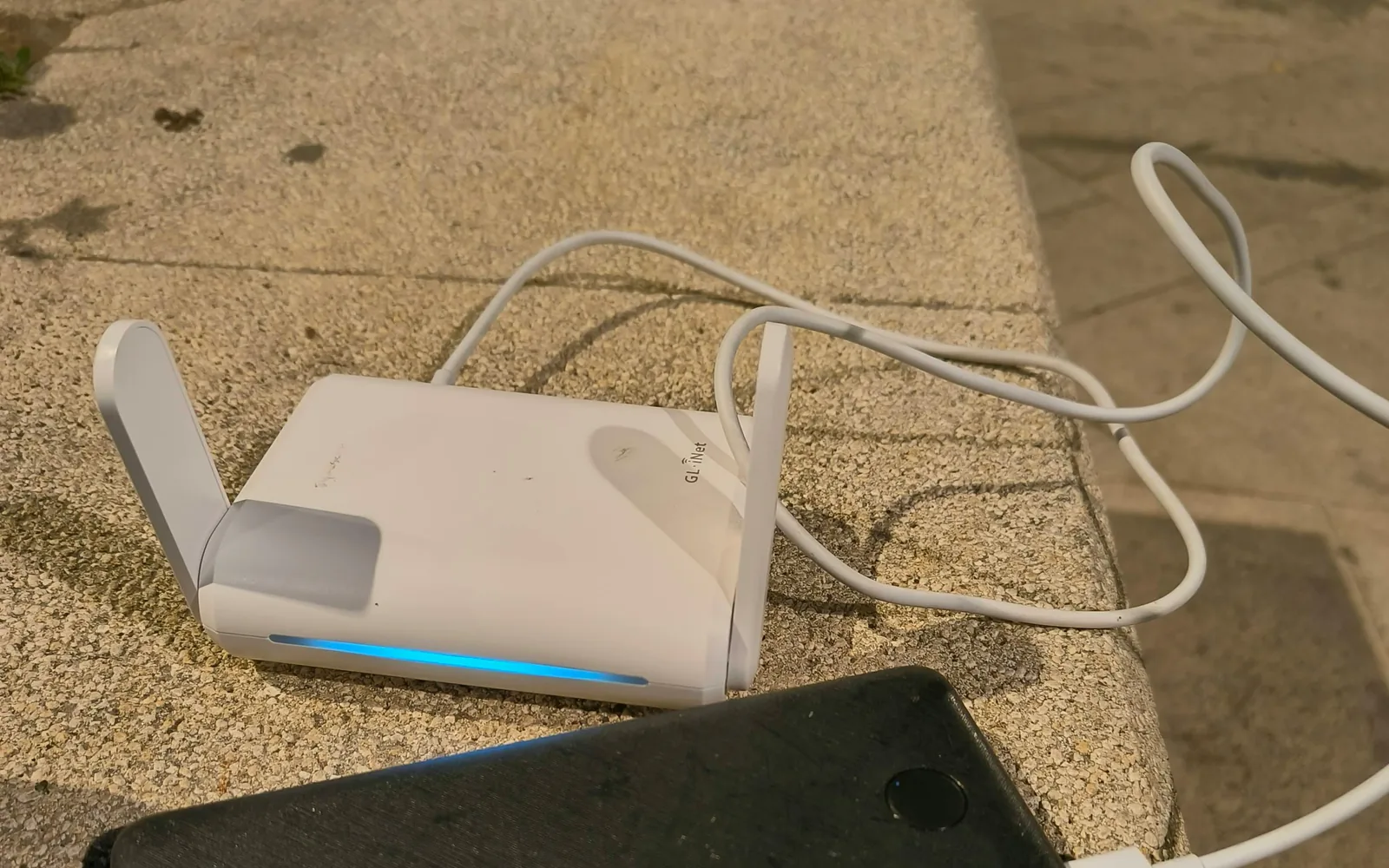
Illustrative portable travel router and power bank. This is not an SKT, KT or LG U+ rental unit and was not photographed at Incheon Airport. Photo: Danielrosehill, CC BY 4.0. Cropped and converted to WebP.
Plan B if activation fails
Stay on Incheon Airport's free Wi-Fi and do not delete the new eSIM. Check, in order:
- airplane mode is off;
- the Korea line is enabled and selected for mobile data;
- the home line is not allowed to take over cellular data;
- the provider's required data-roaming setting is correct;
- the phone has been restarted;
- any published APN is selected exactly;
- passport or Entry Check is complete if only calls or texts are failing.
If data still fails, return to the carrier counter or contact SK Telecom at +82-2-6343-9000, KT at +82-2-2190-0901 or LG U+ at +82-10-3998-1004 (010-3998-1004 from a Korean line). The IIAC airport help desk is 1577-2600, open 07:00–22:00.
A prechecked home-carrier day pass can cover the first night. Avoid buying a replacement QR code from an unsolicited message. Preserve the original profile and order evidence until the operator has reviewed the problem.
Check before you travel
- temporary counter closure, queue and stock for the exact product;
- access and live hours for an airside SKT roaming or router inquiry;
- the checkout price, promotion and speed wording on the purchase date;
- compatibility of the exact phone model, country variant and software version;
- card acceptance and any deposit authorization at the selected counter;
- whether a particular Korean app accepts the tourist
010number; - the precise LG U+ T2 sign, because the operator and IIAC use different nearby exit labels.
Take screenshots of the order terms, counter location and support number while you still have Wi-Fi.
Frequently asked questions
Can I buy a Korean SIM after midnight at Incheon Airport?
Yes. IIAC currently lists SK Telecom, KT and LG U+ near T1 Arrival Hall F as 24-hour counters. At T2, KT and LG U+ near Exit 4 and SK Telecom near Exit 7 are listed 24H. Product stock, pickup processing and temporary closures can still change.
Should I install an eSIM before flying?
Not until you recheck the carrier's rule. Scanning the SK Telecom QR code starts its clock; completing KT installation starts KT's; LG U+ waits for first data use. You can buy in advance and save the instructions without installing immediately.
Does an airport tourist SIM provide Korean identity verification?
No. A 010 number or an incoming SMS does not create Korean resident identity. LG U+ explicitly says restaurant and taxi app codes may work on a voice-enabled product while banking and government identity verification do not. Other apps make their own decisions.
Can a transfer passenger buy a SIM without entering Korea?
Do not plan on the main arrivals counters: they are in the public area after immigration and customs. IIAC describes the airside SKT points only as roaming and Wi-Fi router services, not SIM or eSIM sales. Check lawful entry through the Visa Navigator before making a landside plan.
Can staff install the SIM for me?
Ask at the counter. Airport desks can test their service, but the operators do not promise full setup for every phone. Keep control of passwords and account prompts, then test data, calls, SMS and hotspot before leaving.
Can I use hotspot tethering?
LG U+ explicitly says its eSIM and SIM support tethering and recommends a restart if it fails. Confirm the exact SK Telecom or KT plan rather than assuming all products have the same rule. A pocket Wi-Fi is the clearer option for several devices.
What happens if I delete the eSIM?
Assume it cannot be restored. KT and LG U+ say a deleted installed profile cannot be reissued, and SK Telecom says a manually deleted active profile requires a new purchase. Contact support before removing anything.
Official sources
- Incheon Airport: live facilities directory
- Incheon Airport: help-desk contacts
- SK Telecom: data eSIM
- SK Telecom: data, call and SMS eSIM
- SK Telecom: checkout and product terms
- SK Telecom: T Wi-Fi Router
- KT: visitor eSIM
- KT: eSIM installation
- KT: airport roaming centers
- LG U+: visitor eSIM
- LG U+: physical SIM
- LG U+: pocket Wi-Fi
- LG U+: eSIM and SIM FAQ
- Incheon Airport: free Wi-Fi
- Korean telecommunications contract identity rule
- KAIT: IMEI guide